SubSavvy: Subscription Mannager

Designing a mobile app to help users track and manage subscriptions with reminders, spending insights, and full local privacy—from concept to prototype.

Role

UX/UI Desiger

Industry

Money Management Tools

Duration

1 months
Stage 1. Usability Audit

Initiated the project with comprehensive market research, analyzing competitors and identifying gaps in the social dining app market. Conducted surveys and focus groups with potential users to understand their needs, preferences, and pain points regarding dining out and socializing. Synthesized research findings to develop a clear value proposition for the app, focusing on unique features such as group dining options, personalized restaurant recommendations, and event planning capabilities.

Stage 2. Design Strategy

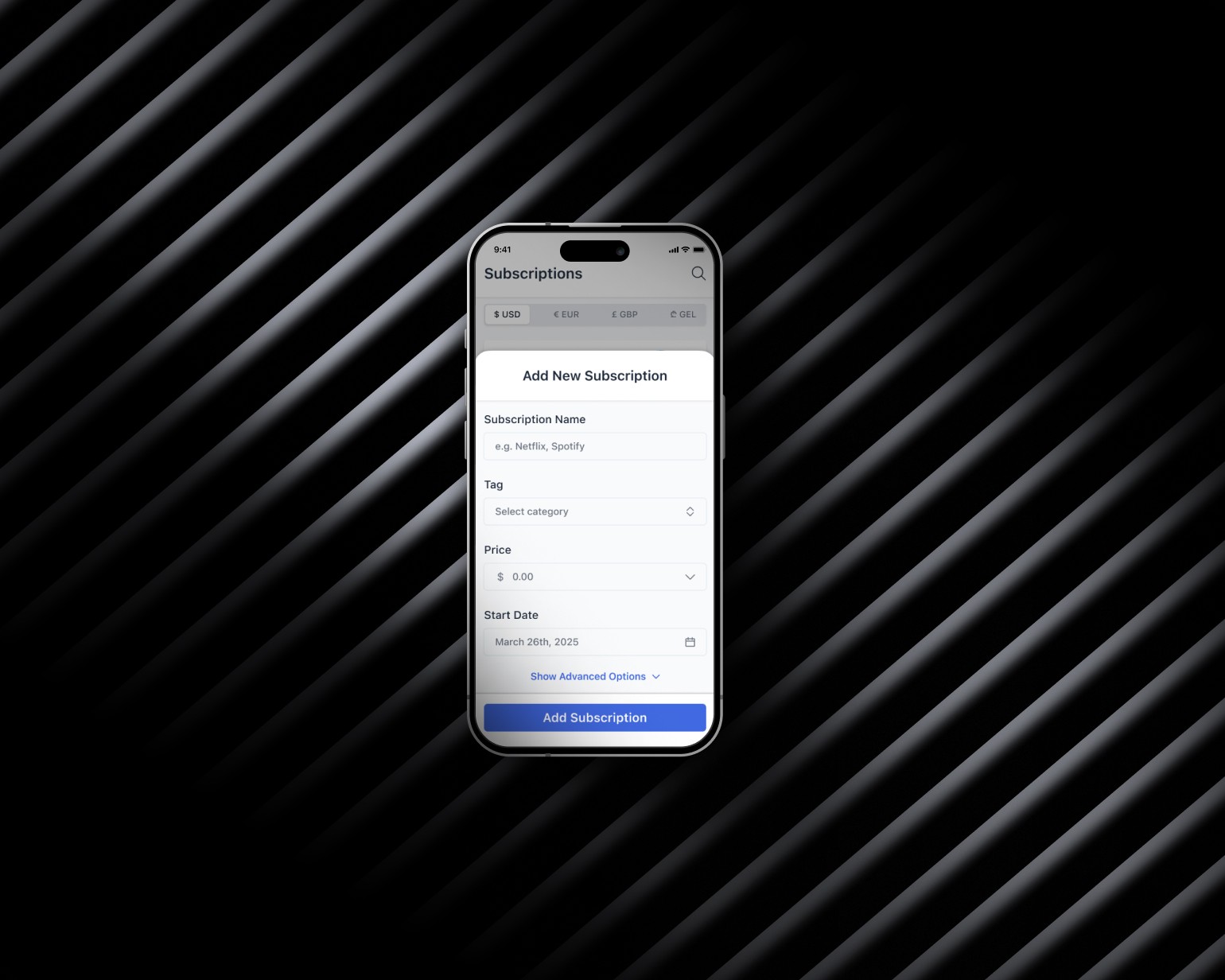
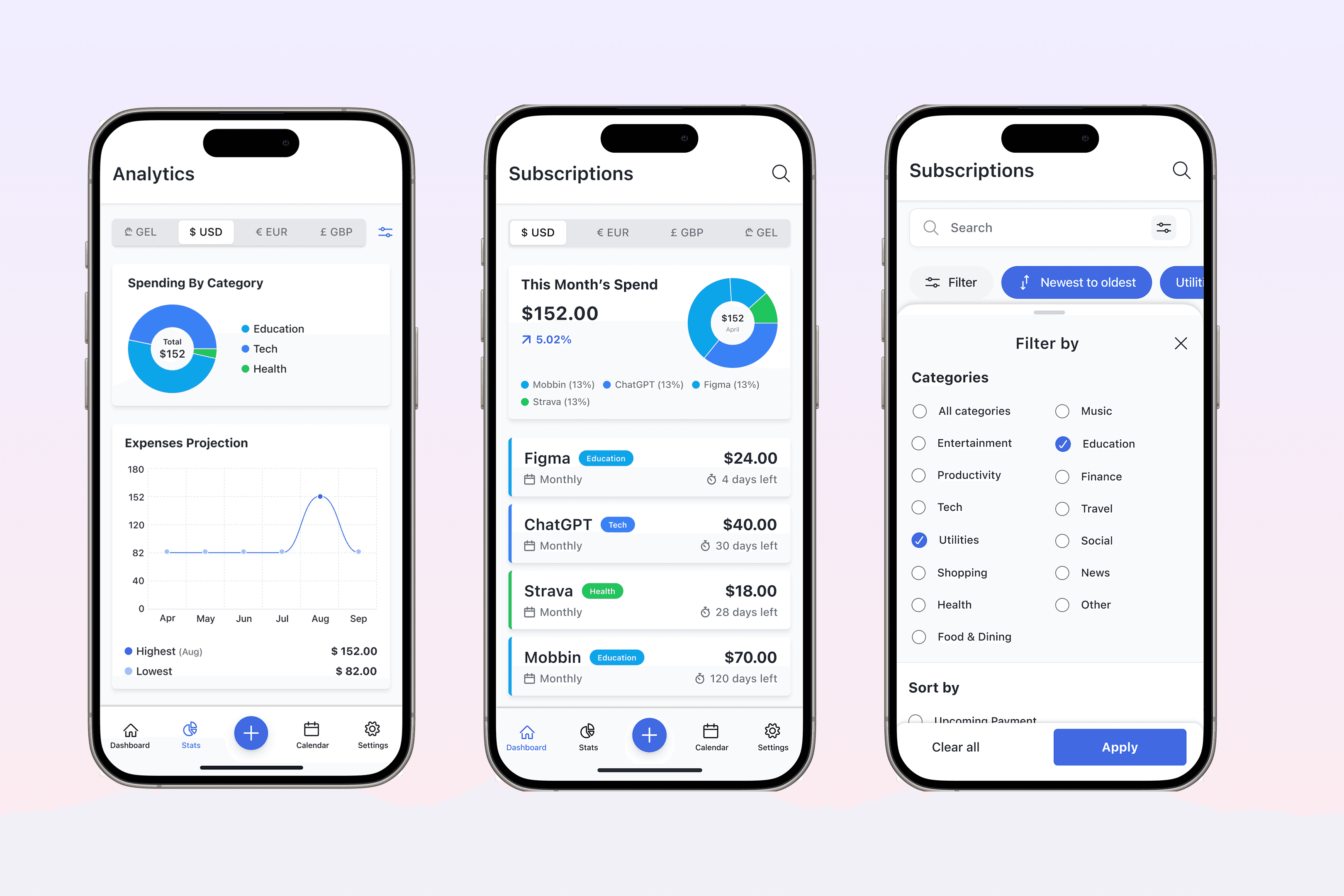
Based on what I learned, the strategy was to keep everything simple, local, and clear. The app had to work without an account, show upcoming payments at a glance, and let users set reminders easily. I focused on designing a clean layout, strong contrast for readability, and clear flows for adding, editing, and tracking subscriptions. The goal was to build trust by making the experience feel private, reliable, and easy to use.

Stage 3. Prototype Development

Wireframing: I started with wireframes to map out the core flows—adding subscriptions, setting reminders, and viewing upcoming payments. The goal was to keep everything simple and focused. I used Figma to build low-fidelity prototypes to test structure and navigation early on. Once the flows felt right, I moved into high-fidelity design to explore layout, colors, and interaction in both light and dark modes.

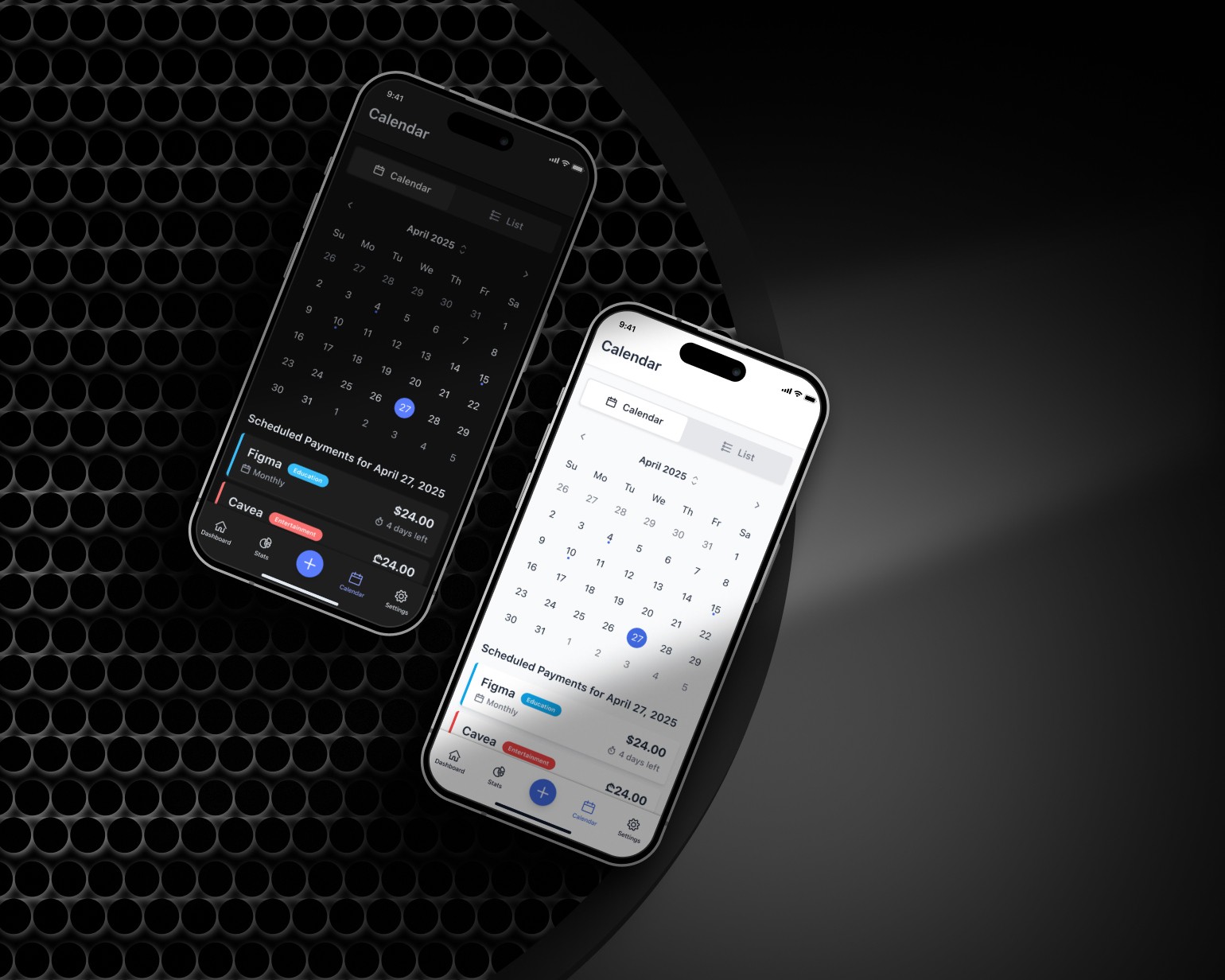
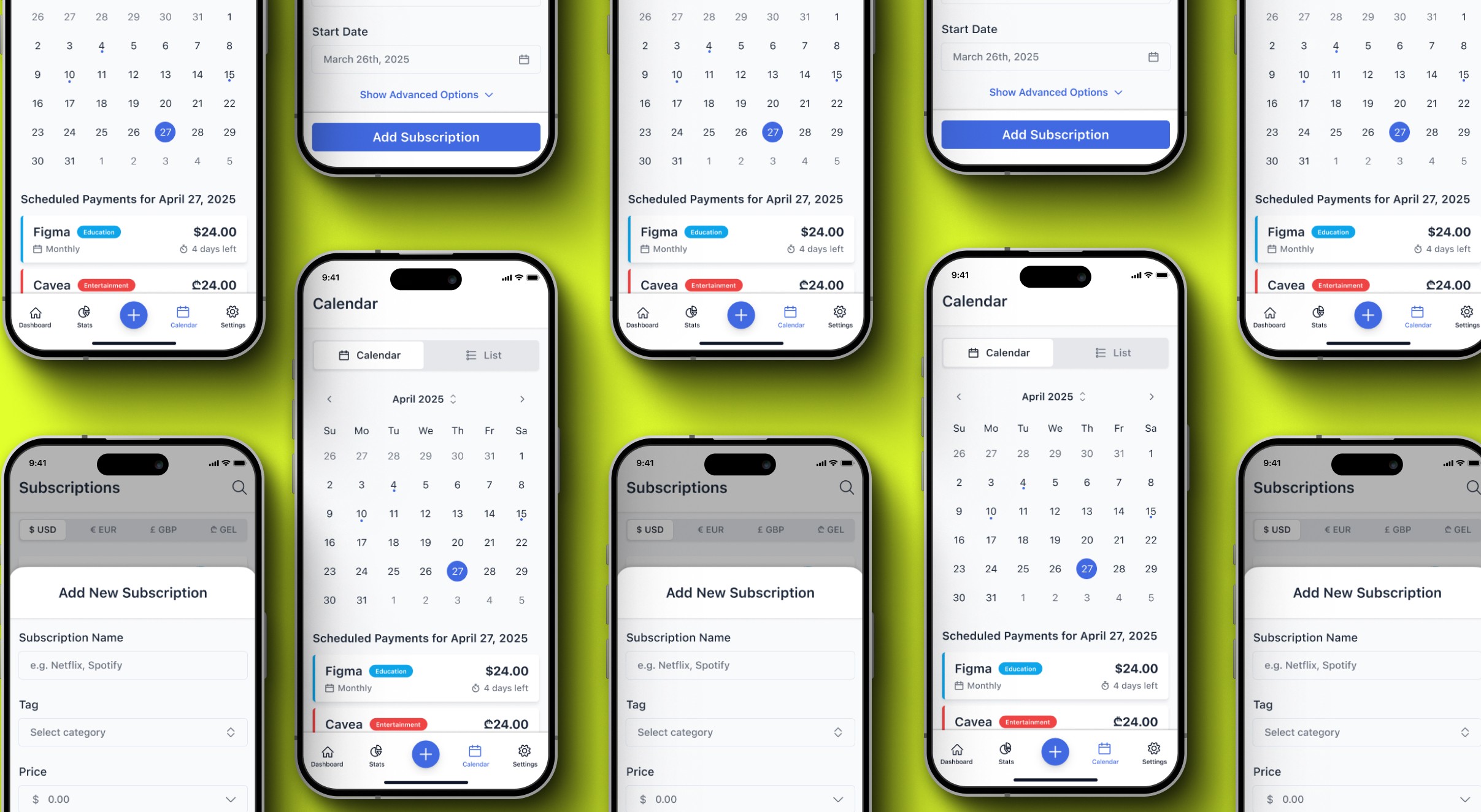
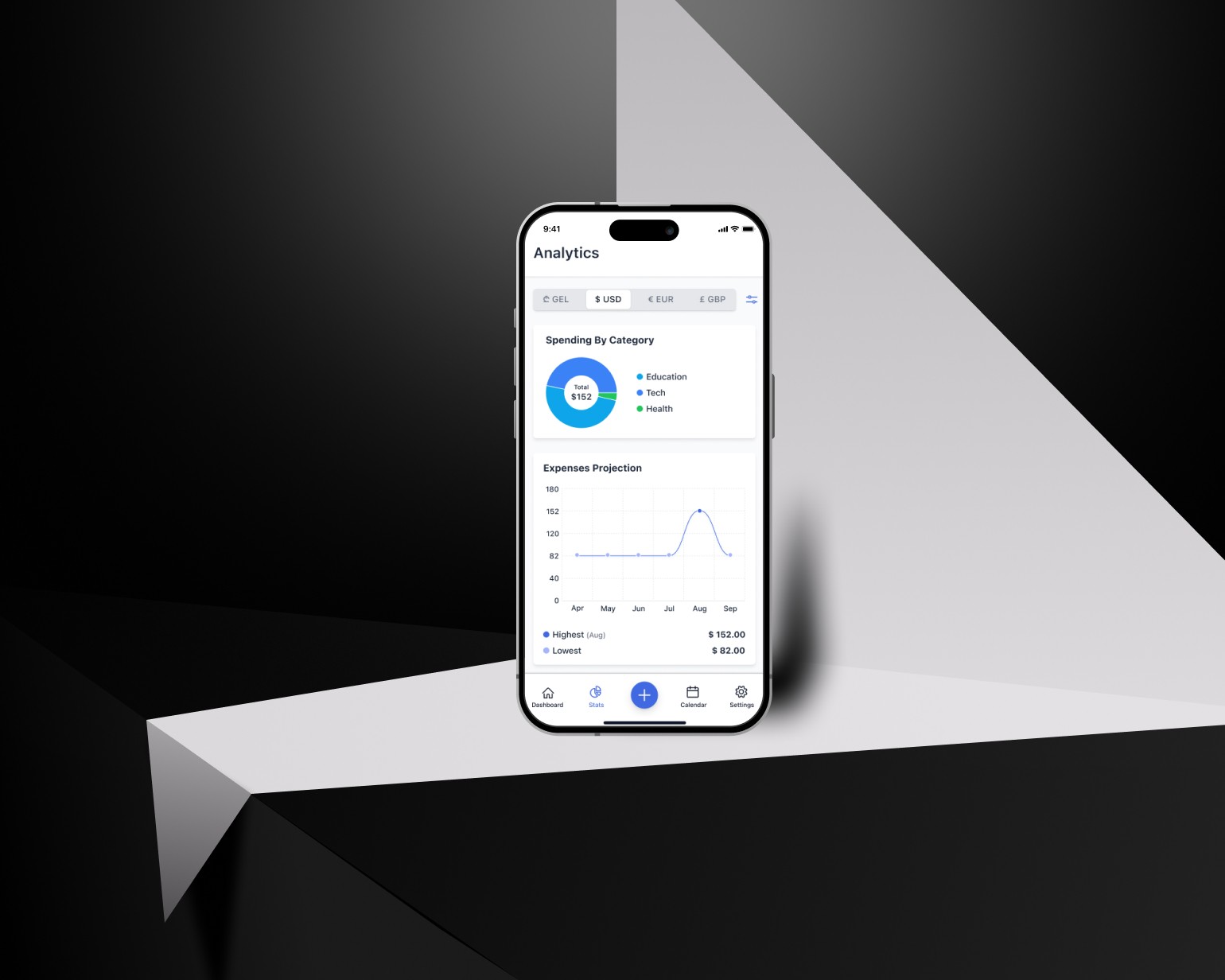
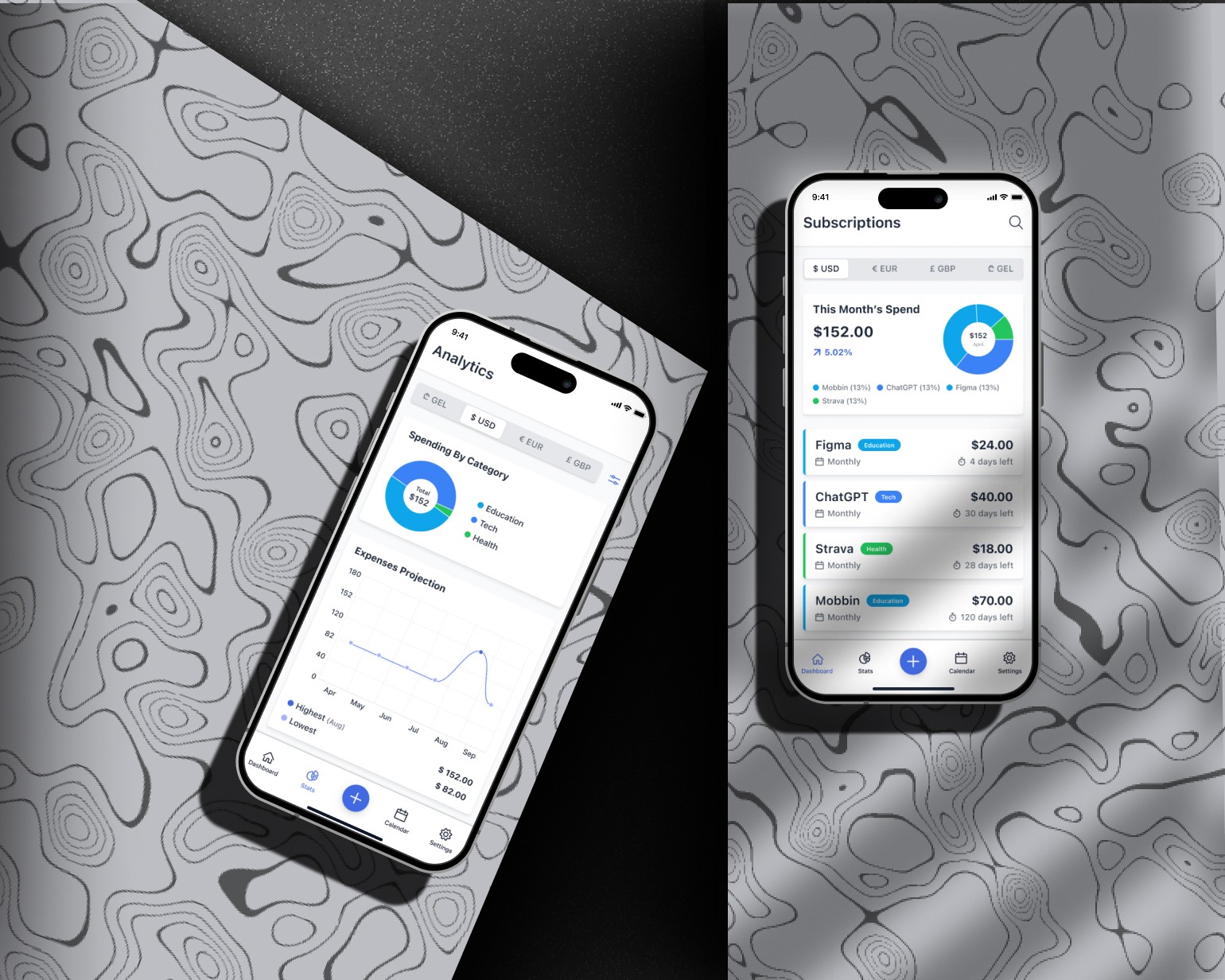
High-Fidelity Prototyping: I built high-fidelity prototypes in Figma with clear layout, strong contrast, and support for both light and dark modes. Key flows were fully designed, and I used reusable components to keep the interface consistent. Everything was organized for a smooth developer handoff.

User Interface Design: The UI was designed to feel simple, clear, and easy to trust. I focused on clean layouts, readable text, and high-contrast colors. Key actions like adding or editing subscriptions were made easy to find. The design system used consistent spacing, icons, and components across both light and dark modes.

Stage 1. Usability Audit

Initiated the project with comprehensive market research, analyzing competitors and identifying gaps in the social dining app market. Conducted surveys and focus groups with potential users to understand their needs, preferences, and pain points regarding dining out and socializing. Synthesized research findings to develop a clear value proposition for the app, focusing on unique features such as group dining options, personalized restaurant recommendations, and event planning capabilities.

Stage 2. Design Strategy

Based on what I learned, the strategy was to keep everything simple, local, and clear. The app had to work without an account, show upcoming payments at a glance, and let users set reminders easily. I focused on designing a clean layout, strong contrast for readability, and clear flows for adding, editing, and tracking subscriptions. The goal was to build trust by making the experience feel private, reliable, and easy to use.

Stage 3. Prototype Development

Wireframing: I started with wireframes to map out the core flows—adding subscriptions, setting reminders, and viewing upcoming payments. The goal was to keep everything simple and focused. I used Figma to build low-fidelity prototypes to test structure and navigation early on. Once the flows felt right, I moved into high-fidelity design to explore layout, colors, and interaction in both light and dark modes.

High-Fidelity Prototyping: I built high-fidelity prototypes in Figma with clear layout, strong contrast, and support for both light and dark modes. Key flows were fully designed, and I used reusable components to keep the interface consistent. Everything was organized for a smooth developer handoff.

User Interface Design: The UI was designed to feel simple, clear, and easy to trust. I focused on clean layouts, readable text, and high-contrast colors. Key actions like adding or editing subscriptions were made easy to find. The design system used consistent spacing, icons, and components across both light and dark modes.

Stage 4. User Feedback & Refinement

I tested the prototype with a small group of users to evaluate clarity, flow, and ease of use. The feedback confirmed that the layout felt simple and the reminder setup was intuitive. A few areas—like editing or deleting a subscription—needed clearer labels and improved button placement. Based on this input, I refined the UI to make actions more visible and reduce potential confusion

Stage 5. Implementation & Launch Support

The design work was shared with the developer and is currently being built. I prepared all screens, components, and design specs in Figma to support a smooth handoff. I also included notes for layout, colors, spacing, and interactions to help during development. I stay in touch with the developer to make sure the design is implemented as planned.
Outcomes

The redesign improved clarity, ease of use, and trust in managing subscriptions. Key actions were more visible, the interface was cleaner, and the user experience worked well in both light and dark modes. The app stayed fully offline, keeping user data private. The design is currently being developed, with all components and flows ready for handoff.


Before

After

Subscription Tracking

Manual notes, hard to organize

Clean layout with structured tracking

Reminders

Often missing or hard to set

Built-in, easy-to-manage reminders

Data Privacy

Many apps required accounts or cloud sync

No account, fully local data storage

Visual Clarity

Mixed styles, inconsistent flow

Unified design system with reusable components

Modes & Accessibility

No theme options, poor contrast

Light/dark mode with improved readability

Outcomes

The redesign improved clarity, ease of use, and trust in managing subscriptions. Key actions were more visible, the interface was cleaner, and the user experience worked well in both light and dark modes. The app stayed fully offline, keeping user data private. The design is currently being developed, with all components and flows ready for handoff.


Before

After

Subscription Tracking

Manual notes, hard to organize

Clean layout with structured tracking

Reminders

Often missing or hard to set

Built-in, easy-to-manage reminders

Data Privacy

Many apps required accounts or cloud sync

No account, fully local data storage

Visual Clarity

Mixed styles, inconsistent flow

Unified design system with reusable components

Modes & Accessibility

No theme options, poor contrast

Light/dark mode with improved readability

Other projects

Copyright 2024 by Nia Siradze

Copyright 2024 by Nia Siradze

Copyright 2024 by Nia Siradze

Create a free website with Framer, the website builder loved by startups, designers and agencies.