SKILL STREAM - Online learning platform

Building a video-based learning platform designed to make skill-building simple, focused, and accessible—through structured content, smart discovery, and learner-driven progress.

Role

UX/UI Designer

Industry

EdTech

Duration

3 months
Stage 1. User Research

I started by asking people how they learn new skills online and what problems they face. Many said they get lost in too much content, don’t know where to start, or lose motivation. Most preferred short videos, clear steps, and seeing their progress. This feedback helped me decide what the app should focus on and how it should work.

Stage 2. Ideation & Conceptualization

Based on the research, I focused on making the app simple, goal-based, and easy to follow. I sketched out ideas for how users could search for courses, watch short videos, and track their progress. I also thought about how to show recommendations, let users learn at their own pace, and keep everything clear without distractions. These ideas became the base for the first wireframes and user flows.

Stage 3. Design Execution

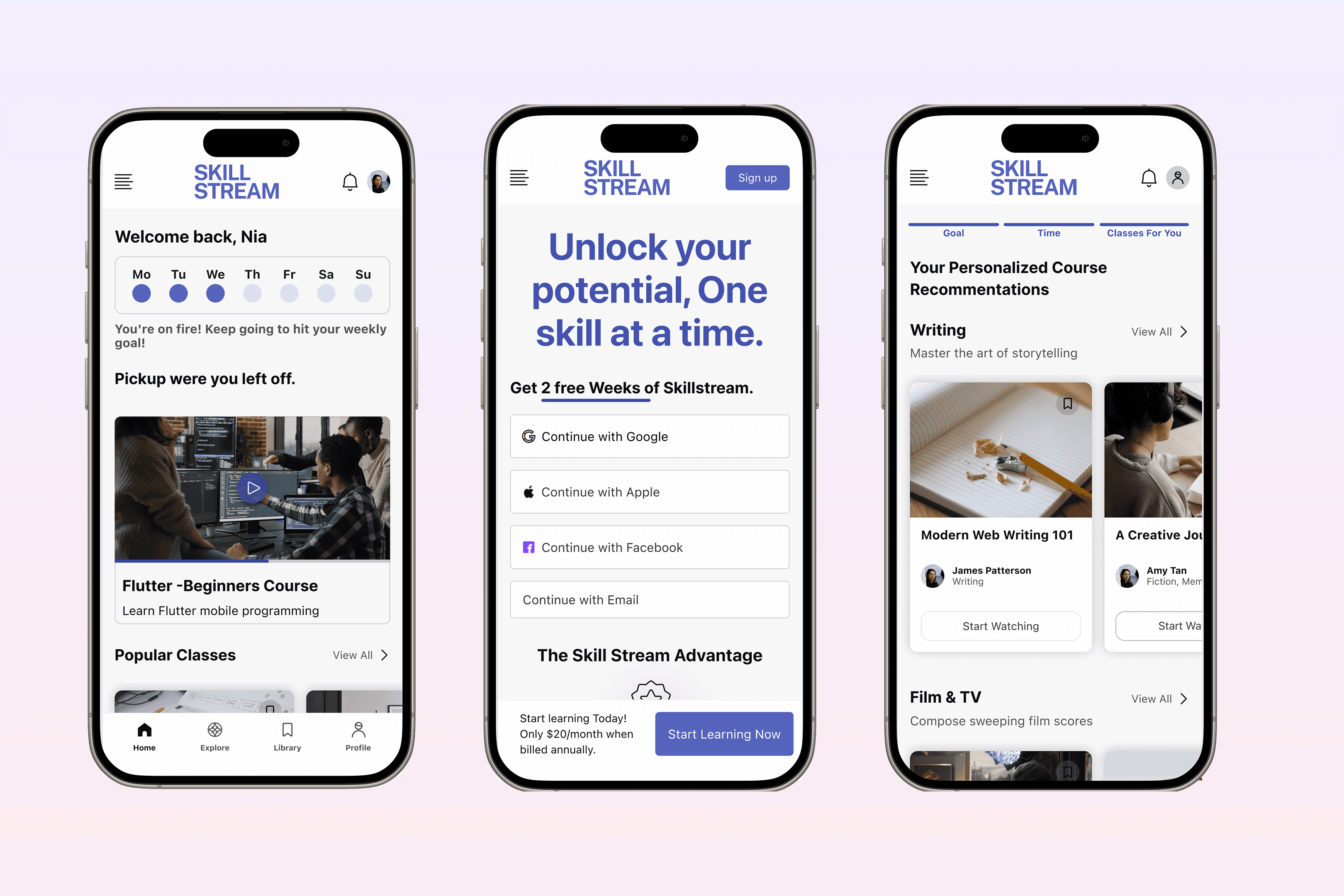
  • Wireframing: I created wireframes to plan the main screens—course discovery, video player, progress tracking, and onboarding. The goal was to keep the layout simple and easy to use. I mapped out how users would search for a course, start learning, and see their progress. I used Figma to build low-fidelity prototypes and tested different flows before moving on to detailed UI design.

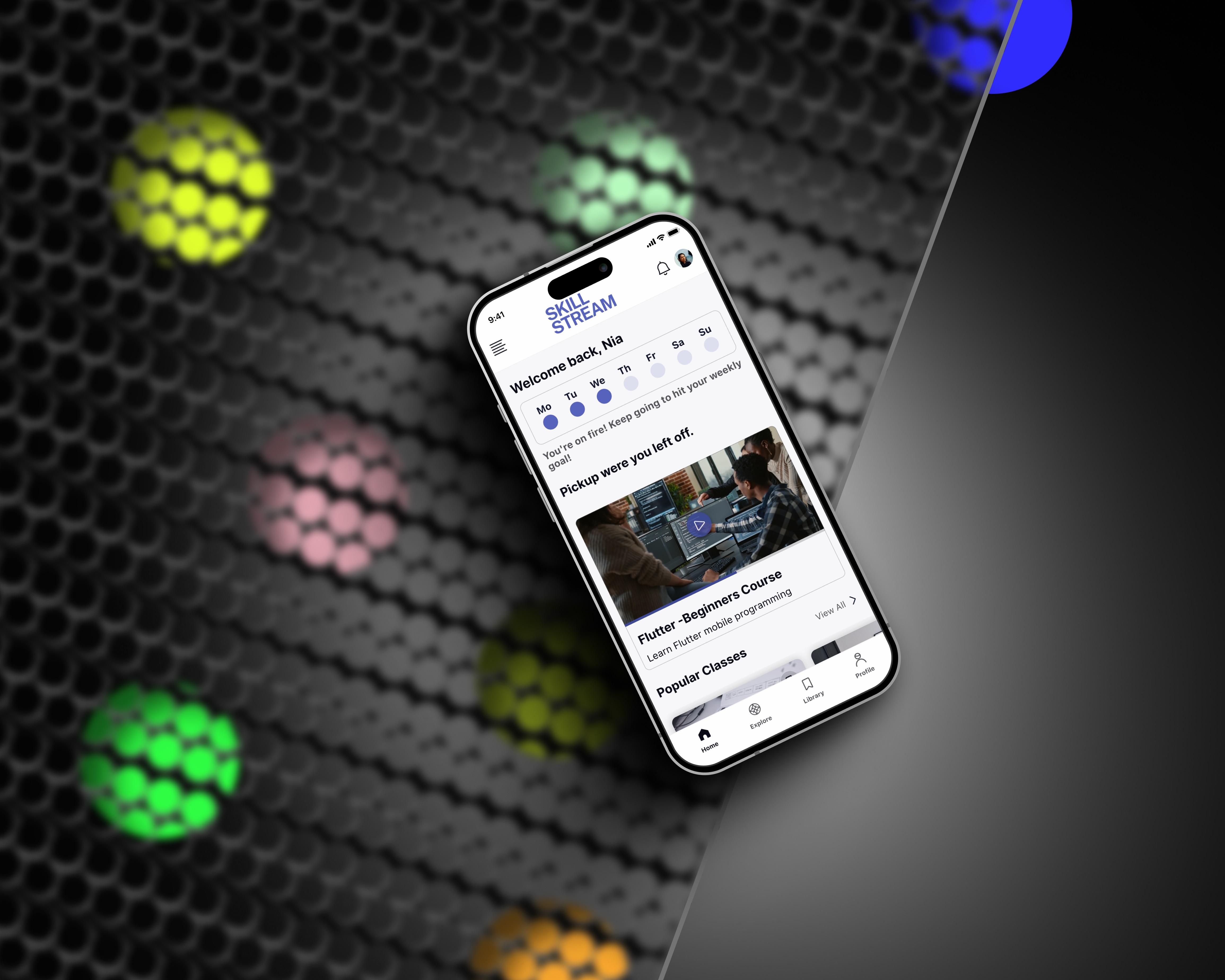
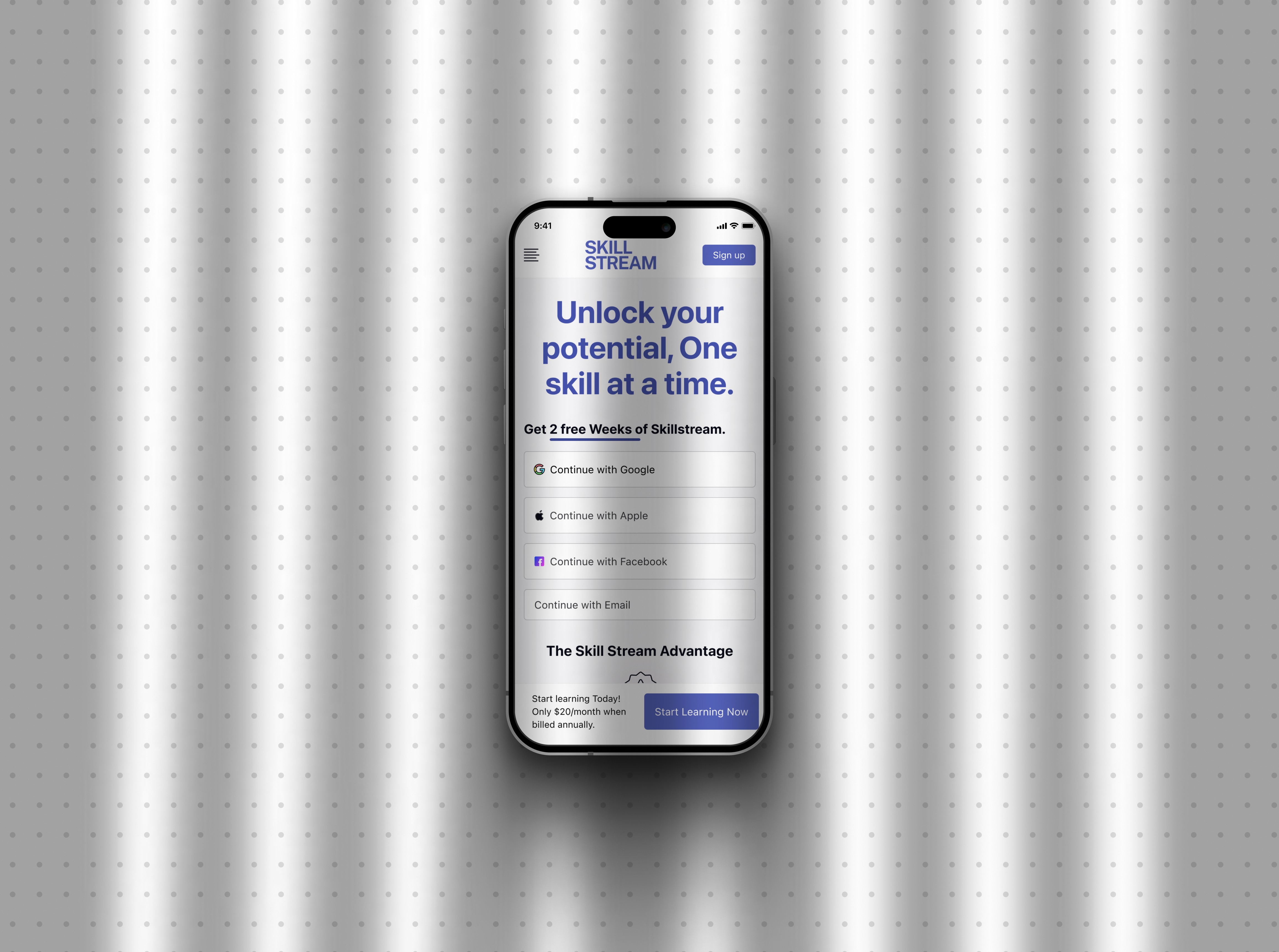
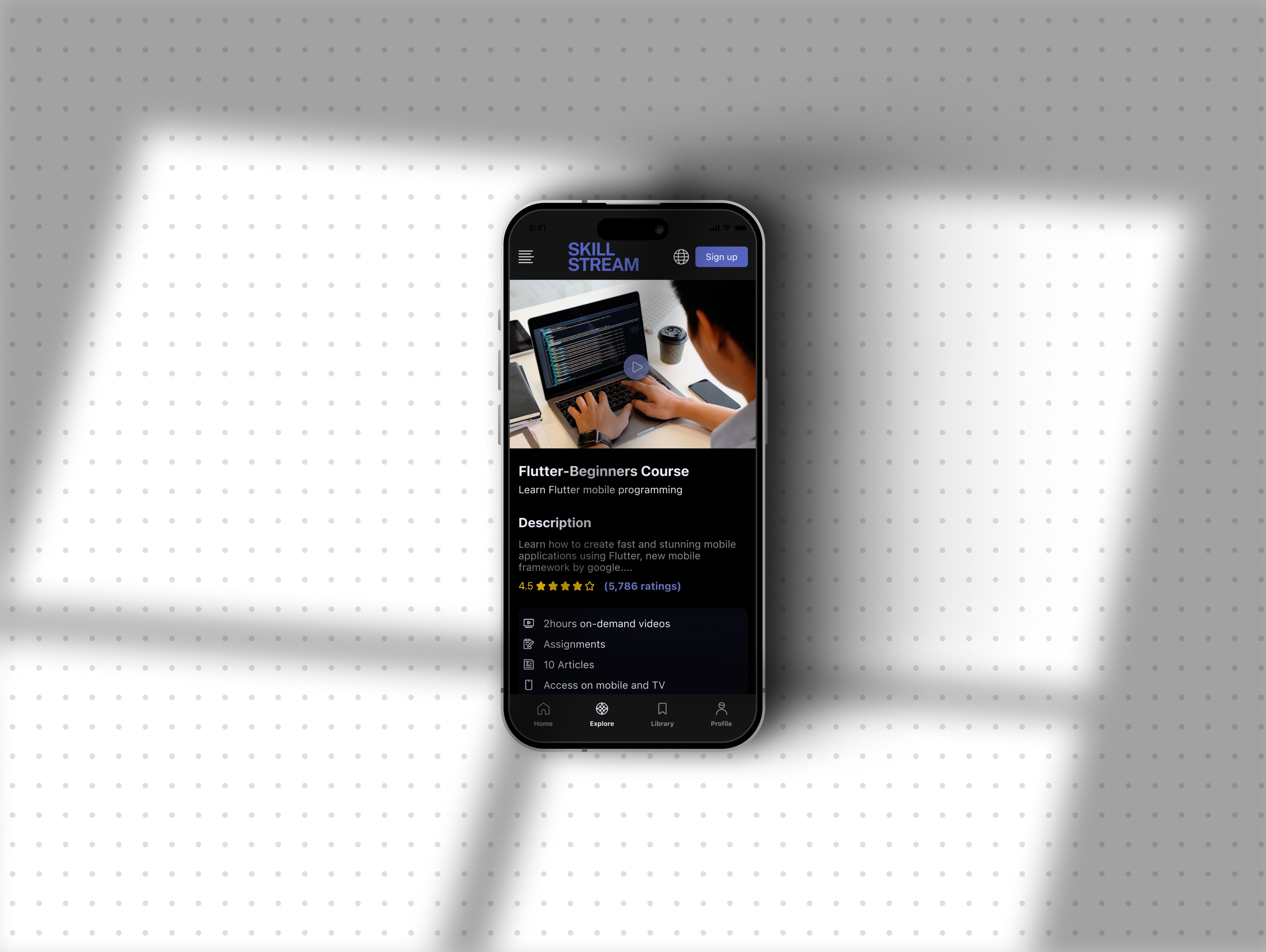
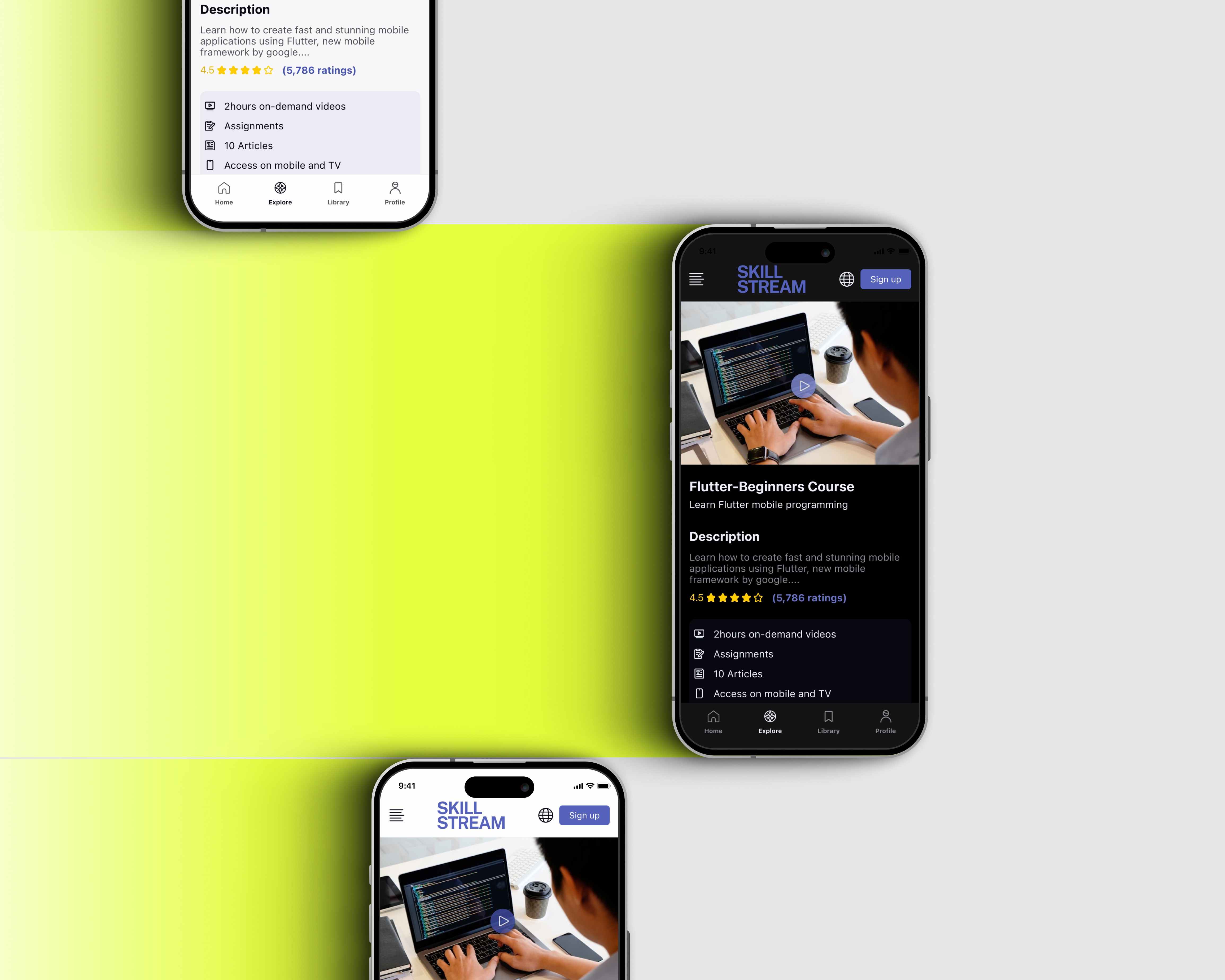
  • Prototyping: After testing the wireframes, I built a high-fidelity prototype in Figma to show how the app would look and work. The design focused on clean layouts, short video content, and clear steps for learning. I added light and dark mode support, built reusable components, and made sure each screen worked well on mobile. The prototype covered the full flow—from course search to progress tracking.

  • UI Design: The UI was designed to be clean, focused, and easy to follow. I used clear typography, strong contrast, and simple icons to support fast browsing and reduce distractions. Key actions like watching videos, saving progress, and switching topics were made easy to find. Both light and dark modes were designed for comfort and accessibility.

Stage 1. User Research

I started by asking people how they learn new skills online and what problems they face. Many said they get lost in too much content, don’t know where to start, or lose motivation. Most preferred short videos, clear steps, and seeing their progress. This feedback helped me decide what the app should focus on and how it should work.

Stage 2. Ideation & Conceptualization

Based on the research, I focused on making the app simple, goal-based, and easy to follow. I sketched out ideas for how users could search for courses, watch short videos, and track their progress. I also thought about how to show recommendations, let users learn at their own pace, and keep everything clear without distractions. These ideas became the base for the first wireframes and user flows.

Stage 3. Design Execution

  • Wireframing: I created wireframes to plan the main screens—course discovery, video player, progress tracking, and onboarding. The goal was to keep the layout simple and easy to use. I mapped out how users would search for a course, start learning, and see their progress. I used Figma to build low-fidelity prototypes and tested different flows before moving on to detailed UI design.

  • Prototyping: After testing the wireframes, I built a high-fidelity prototype in Figma to show how the app would look and work. The design focused on clean layouts, short video content, and clear steps for learning. I added light and dark mode support, built reusable components, and made sure each screen worked well on mobile. The prototype covered the full flow—from course search to progress tracking.

  • UI Design: The UI was designed to be clean, focused, and easy to follow. I used clear typography, strong contrast, and simple icons to support fast browsing and reduce distractions. Key actions like watching videos, saving progress, and switching topics were made easy to find. Both light and dark modes were designed for comfort and accessibility.

Stage 4. User Testing & Iterations

I tested the prototype with a few users to see if the flow was easy to understand. Most found the app simple and liked the short video format, but some had trouble finding saved courses and tracking their progress. Based on feedback, I adjusted the layout, improved button labels, and made the progress section more visible. These small changes helped make the app feel more usable and clear.

Stage 5. Final Presentation and Documentation

Prepared an in-depth presentation and comprehensive documentation detailing the research findings, design rationale, user testing outcomes, and the iterative design process. Highlighted the app's potential to transform the educational landscape by making learning more interactive, engaging, and collaborative.
a cell phone leaning on a ledge
a pair of cell phones on a concrete block
a cell phone with a yellow rectangular screen

Outcome

The design focused on making online learning feel more manageable and structured. By using short videos, progress tracking, and a clean layout, the app supports users in staying focused and motivated. Key flows were tested and refined, and the design is now fully prepared for handoff.


Before

After

Learning Flow

Unclear path, hard to stay on track

Step-by-step progress with clear goals

Content Overload

Too many options, no guidance

Short videos with topic filters and smart suggestions

Progress Tracking

Often missing or hard to find

Always visible with clear visual indicators

Visual Design

Busy interfaces, too much text

Clean layout with focus on video and action

Motivation & Focus

Users felt lost or unmotivated

Clear feedback, milestones, and light/dark modes

Outcome

The design focused on making online learning feel more manageable and structured. By using short videos, progress tracking, and a clean layout, the app supports users in staying focused and motivated. Key flows were tested and refined, and the design is now fully prepared for handoff.


Before

After

Learning Flow

Unclear path, hard to stay on track

Step-by-step progress with clear goals

Content Overload

Too many options, no guidance

Short videos with topic filters and smart suggestions

Progress Tracking

Often missing or hard to find

Always visible with clear visual indicators

Visual Design

Busy interfaces, too much text

Clean layout with focus on video and action

Motivation & Focus

Users felt lost or unmotivated

Clear feedback, milestones, and light/dark modes

Other projects

Copyright 2024 by Nia Siradze

Copyright 2024 by Nia Siradze

Copyright 2024 by Nia Siradze

Create a free website with Framer, the website builder loved by startups, designers and agencies.